
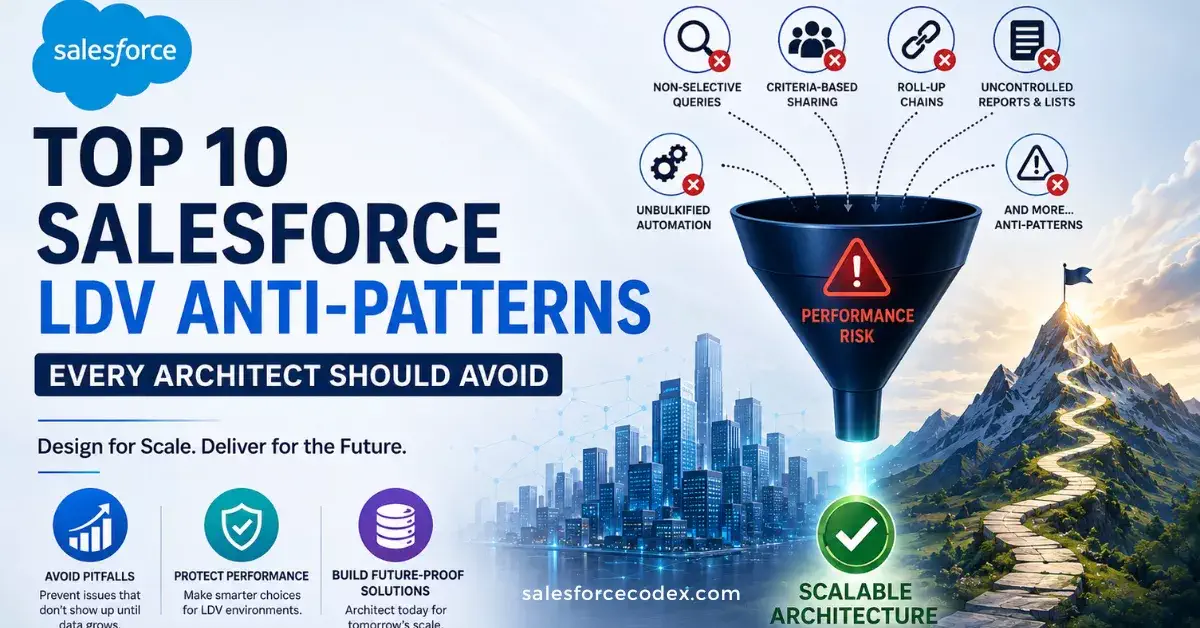
Salesforce itself follows a scalable design. However, when the number of records in core objects grows from thousands to millions, its scalability will face challenges: queries, reports, triggers, or automated processes that originally took only a few seconds to complete will see a sharp rise in execution time as data volume increases and may even time out. In many large data volume (adv) scenario, the problem is rarely that Salesforce’s limits are too strict.
The real root cause is that architectures initially designed for only 10,000 records have never been iterated or optimized after data grows to 10 million or more.
At that point, the design that originally worked well for small teams will turn into a serious performance bottleneck, and architectural anti-patterns will incur high costs as a result. This post sorts out 10 common Salesforce Large Data Volume anti-patterns that architects and developers often encounter.
Each anti-pattern includes a practical example, an explanation of why it becomes problematic at scale, and guidance on what to consider instead.
Refer to the post: Effectively Manage Large Data Volumes in Salesforce to learn more about Large Data Volumes.
1. Non-Selective SOQL Queries
The Anti Pattern
A common performance anti-pattern is filtering large objects using non-selective or unindexed fields. This hidden risk becomes particularly prominent when an object contains millions of records.
The same query may run smoothly in a sandbox that stores only 50,000 records, but fail in a production environment that holds 20 million records. After data volume surges, the platform must scan the vast majority of the table, triggering three types of failures: slow queries, error reports for non-selective queries, and query timeouts.
For example:
SELECT Id, Name FROM Opportunity WHERE Statusc = 'Open'
This query appears reasonable at first glance. However, if Status__c is not indexed and the Opportunity object contains 20 million records, the value Open might match 6 million (30%) records. This means Salesforce must perform a full table scan to return results.
Better Approach: Make the Query More Selective
Instead of filtering only on a non-selective field such as Status__c, combine it highly selective field, typically a date field scoped tightly, or Id/CreatedDate/OwnerId ranges, or an external ID.
// Better: CreatedDate is indexed and narrows the scan dramatically
SELECT Id, Name FROM Opportunity
WHERE Status__c = 'Open'
AND CreatedDate = LAST_N_DAYS:30
Refer to our other post for the impact of selective and non-selective queries
2. Record Ownership Skew
This anti-pattern refers to assigning tens of thousands of records to a single owner. This is done when records are created with integration users, added to unassigned queues, or assigned to a support rep. Ownership skew causes lock contention and dramatically slows sharing recalculation, because every share table row tied to that owner has to be evaluated when role hierarchy or sharing rules change.
Example:
An integration user, Data Migration User, owns 500,000 Case records because a nightly batch job creates them and never reassigns ownership. Any change to that user’s role in the hierarchy — or any bulk update touching those records- triggers a sharing recalculation across hundreds of thousands of rows, and concurrent DML against those records starts throwing UNABLE_TO_LOCK_ROW errors.
Better Approach
- Cap any single owner at roughly 10,000 records (Salesforce’s documented threshold before skew-related locking issues appear).
- Distribute ownership across multiple integration users or a dedicated queue structure, and place high-volume owners at the top of the role hierarchy (or outside it, in a role with minimal downstream sharing implications) to limit recalculation blast radius
Refer to the post What is data skew for more information.
3. Lookup Skew
The Anti-Pattern:
Lookup skew occurs when a large child object has a lookup relationship to the same parent record for a significant percentage of its records. Unlike ownership skew, the problem is not related to Salesforce’s sharing or ownership model. Instead, the concentration of child records on a single parent can create row-lock contention when multiple transactions simultaneously insert or update child records referencing that parent.
Example:
A Case lookup field, Primary_Account__c, where 200,000 out of 2 million Cases reference the same Account record, such as a large customer like “Acme Corp.” When multiple batch jobs or integrations create or update Cases for Acme at the same time, they compete for a lock on that single Account record. This can lead to cascading UNABLE_TO_LOCK_ROW errors, even though the Case records themselves are completely independent.
Better Approach
To mitigate lookup skew, architects should avoid creating a data model where a large percentage of child records reference the same parent record. A highly referenced parent can become a record-locking hotspot when multiple transactions concurrently insert or update child records.
Where the relationship is required, consider the following strategies:
1. Reduce transaction concurrency
Instead of processing large volumes of child records against the same parent in parallel, process them in smaller, serialized batches. This reduces the number of concurrent transactions competing for locks on the same parent and helps minimize UNABLE_TO_LOCK_ROW errors.
2. Distribute child records across multiple parents
If the business model permits it, redesign the data model so that child records are distributed across multiple parent records rather than concentrated under a single highly referenced parent. This reduces the likelihood that one parent becomes a locking bottleneck.
3. Avoid unnecessary parent relationships
Review whether the lookup is genuinely required for transactional processing. If the relationship exists primarily to support reporting, aggregation, or dashboards, consider whether the same requirement can be satisfied without maintaining a live lookup relationship to the highly skewed parent.
4. Decouple reporting from transactional data
For reporting-only requirements, consider introducing a summary or reporting object that is updated asynchronously. The transactional objects can remain optimized for high-volume processing, while an asynchronous process calculates and stores the information required for reporting.
For example, instead of having millions of transaction records directly reference a single parent solely to support reporting, an asynchronous process could maintain aggregated information such as record counts, totals, or status summaries in a separate reporting object.
Refer to the post What is data skew for more information.
4. Uncontrolled Roll-Up Summary and Cross-Object Formula Chains
The Anti Pattern
Creating multiple layers of roll-up summary fields, cross-object formulas, and dependent calculations across a deep object hierarchy, particularly when the underlying objects contain large volumes of child records.
Roll-up summaries are recalculated when related child records are inserted, updated, or deleted. When one roll-up feeds another calculated field higher in the relationship hierarchy, a single data change can trigger a cascade of recalculations.
This design may work well with moderate data volumes but can become a significant performance bottleneck as the number of child records and concurrent transactions increases.
Example:
Consider an architecture where:
Opportunitycontains a roll-up summary that counts relatedOpportunityLineItemrecords.Accountcontains a formula that depends on information derived from its related Opportunities.- An Account can have tens of thousands of Opportunities.
- A bulk data operation inserts or updates 100,000 Opportunity Line Items.
We are not only inserting 100,000 child records; these changes can cause a large number of Opportunity-level calculations to be evaluated. Dependent calculations higher in the hierarchy may also need to be reevaluated.
This creates unnecessary CPU usage, record-locking pressure, transaction overhead, and longer data load times.
Better Approach
We should avoid creating deep chains of synchronous calculations across high-volume objects.
When the business does not require real-time values, move aggregation into an asynchronous or scheduled processing model. A batch or scheduled process can calculate summaries in bulk and persist the results into dedicated summary fields or reporting objects.
For example:
OpportunityLineItem → Opportunity → Account
can be replaced with:
OpportunityLineItem → Asynchronous Aggregation → Account Summary
The summary is recalculated periodically or after controlled batches of changes rather than synchronously for every individual transaction.
5. Sharing Rule Recalculation Storms
The anti-pattern:
Using criteria-based sharing rules or making major role hierarchy changes on objects with tens of millions of records without considering the impact of sharing recalculation.
When a sharing rule or role hierarchy changes, Salesforce may need to recalculate sharing access for a large number of records. On a high-volume object, this can take a significant amount of time and consume considerable system resources.
Example:
An architect adds a criteria-based sharing rule on Case:
Share all Cases where
Region__c = 'APAC'with the APAC Support role.
The Case object contains 15 million records.
After the rule is added, Salesforce needs to evaluate which existing Cases should be shared with the APAC Support role. Because the rule applies to existing data, the calculation can involve a very large number of records.
The result could be:
- Sharing recalculation takes many hours.
- Other sharing-related changes may have to wait.
- System resources are heavily used during the recalculation.
- Users may experience slower performance.
- Deployments or configuration changes involving sharing can become more difficult to manage.
The problem is not the sharing rule itself. The problem is applying a broad sharing rule to a very large data set without considering the recalculation cost.
Better Approach
For very large objects, prefer sharing models that do not require Salesforce to repeatedly evaluate millions of records.
Where appropriate, use owner-based sharing and the role hierarchy because access can often be determined from record ownership and the user’s position in the hierarchy.
If criteria-based sharing is required,
- Carefully evaluate the volume of records affected before introducing the rule.
- Plan major sharing changes during a controlled maintenance window and allow sufficient time for the recalculation to complete.
For complex or high-volume sharing requirements, consider whether Apex-managed sharing or another targeted sharing design can provide more control. The goal is to avoid unnecessary recalculation of the entire data set when access can be managed more selectively.
6. Non-Bulkified Triggers and Automation
The Anti-Pattern
Running SOQL queries or DML operations inside a for loop in Apex, or designing a Flow to perform database operations one record at a time.
This often works during normal user activity because a user typically updates one or a few records at a time. However, Salesforce processes data in batches. A Data Loader import, integration, or bulk API operation can send hundreds or thousands of records in a transaction.
Code that works for one record can quickly hit Salesforce governor limits when the same logic runs for a full batch.
// Bad: one query and one DML statement per record
trigger AccountTrigger on Account (before update) {
    for (Account acc : Trigger.new) {
        List<Contact> contacts = [SELECT Id FROM Contact WHERE AccountId = :acc.Id];
        for (Contact c : contacts) {
            c.Status__c = 'Reviewed';
            update c; // DML inside a loop
        }
    }
}- If the trigger receives 200 Accounts, Salesforce may execute the query once for each Account. This can quickly exceed the 100 SOQL query limit.
- The
update cstatement is also executed separately for every Contact. With enough Contacts, the code can exceed the 150 DML statement limit as well. - The problem becomes even more visible when someone loads thousands of records through Data Loader, an integration, or another API process.
Better Approach: Bulkify the Logic
The same operation should be redesigned so that Salesforce performs database operations in bulk:
// Better: bulkified — one query, one DML for the whole batch
trigger AccountTrigger on Account (before update) {
    Set<Id> accountIds = Trigger.newMap.keySet();
    List<Contact> contactsToUpdate = new List<Contact>();
    for (Contact c : [SELECT Id FROM Contact WHERE AccountId IN:accountIds]) {
        c.Status__c = 'Reviewed';
    }
    update contactsToUpdate;
}
Instead of querying Contacts once for each Account, the code collects all Account IDs and retrieves the required Contacts in a single SOQL query.
The Contacts are then modified in memory, and the entire collection is updated with one DML statement.
Flow Bulkification
The same principle should be applied when designing Salesforce Flow. Avoid a design such as:
Loop → Get Records → Update Records → Next Record
This can cause repeated database operations and become expensive at scale.
Prefer:
Get Records → Loop → Collect Changes → Update Records
For example:
- Use Get Records once to retrieve the required records.
- Process the records in a Loop.
- Store records that need changes in a collection variable.
- Use Update Records once after the loop.
This reduces the number of database operations and allows the automation to handle bulk transactions more efficiently.
7. Deep Pagination with OFFSET
The anti-pattern:
Using SOQL OFFSET to paginate through a large number of records, especially in integrations, scheduled jobs, or batch processing.
OFFSET may look like a simple way to implement pagination, but it is not designed for large-scale data extraction. Salesforce limits OFFSET to 2,000 skipped rows. More importantly, as the offset becomes larger, Salesforce has to work through the earlier records before returning the requested page. This can make the query increasingly inefficient.
A solution that works with a small data set can therefore become a problem as the number of records grows.
Consider an integration that retrieves Contacts 200 records at a time:
-- Bad: gets slower with every page and simply breaks past offset 2000
SELECT Id, Name FROM Contact ORDER BY CreatedDate OFFSET 4000 LIMIT 200
This approach may work during testing when the data set is small. But once the integration needs to go beyond the 2,000-row offset limit, the query fails.
Better Approach: Keyset Pagination
For integrations that need to process records page by page, use keyset pagination, also called the seek method.
Instead of telling Salesforce how many records to skip, remember the last record processed and ask for records that come after it.
-- Better: no OFFSET, scales indefinitely
SELECT Id, Name, CreatedDate FROM Contact
WHERE CreatedDate > :lastSeenCreatedDate
ORDER BY CreatedDate
LIMIT 200
The integration stores the last CreatedDate returned by the previous query and uses it when requesting the next page.
This avoids using OFFSET and allows the integration to continue processing large data sets without increasing the offset on every request.
For Large Data Extraction
If the requirement is to extract a large volume of Salesforce data, don’t build a custom pagination mechanism with OFFSET.
Consider using the Salesforce Bulk API and its query capabilities. Bulk API is designed for high-volume data extraction and processing and is generally a better architectural choice for large data sets.
8. Negative Filters and Full Table Scans
The anti-pattern:
Using filters such as !=, NOT IN, LIKE '%value%', or NULL checks as the main filter in SOQL queries on very large objects.
These filters can make it difficult for Salesforce to use an index efficiently. An index works best when it can quickly identify a small set of matching records. Conditions such as “not equal to,” “not in this list,” or “contains this text anywhere” can potentially match a large percentage of the records, so Salesforce may need to examine a much larger portion of the data.
This may not be noticeable in a sandbox with a small data set, but it can become a serious performance problem when the production org contains millions of records.
Example
Consider these queries:
-- Bad: none of these can use an index effectively
SELECT Id FROM Contact WHERE Email != null
SELECT Id FROM Case WHERE Status != 'Closed'
SELECT Id FROM Account WHERE Name LIKE '%Corp%'
As the data volume grows, this can lead to slower queries and, in some situations, non-selective query errors or query timeouts.
Better approach: Use Positive and Selective Filters
Where the business requirement allows it, rewrite negative conditions as positive conditions that identify the records you actually need.
-- Better: positive filter, indexed and selective
SELECT Id FROM Case WHERE Status IN ('New', 'Working', 'Escalated')
AND LastModifiedDate = LAST_N_DAYS:7
The query now gives Salesforce a much better opportunity to narrow the result set.
The second condition also limits the query to recently modified records instead of potentially searching the entire Case table.
The important point is not simply to “use indexed fields.” An indexed field is most useful when the filter is selective enough to reduce the number of records Salesforce needs to examine.
Handling Text Search
Be especially careful with leading-wildcard searches:
WHERE Name LIKE '%Corp%'This asks Salesforce to find Corp anywhere within the field value. Because the search does not have a fixed starting point, a standard index generally cannot efficiently narrow the search.
If the requirement is true text or keyword searching, consider using SOSL (FIND) instead of trying to use a leading-wildcard SOQL filter.
For example:
FIND 'Corp'
IN ALL FIELDS
RETURNING Account(Id, Name)
SOSL is designed for text search and is generally a better fit when users need to search for words or phrases across text fields.
9. Automation Cascades Across Multiple Tools
The anti-pattern:
Having multiple Flows, legacy Process Builders, and Apex triggers running on the same object without a clear automation strategy.
Each automation may perform its own queries, calculations, and updates. Some may even update the same record that caused the automation to run, causing additional save operations and potentially triggering other automation again.
On a small or low-volume object, this may not cause noticeable problems. But on a high-volume object, the extra processing can quickly become expensive. Every unnecessary query, calculation, and update adds CPU time to the transaction. Under bulk processing, this overhead is multiplied across hundreds or thousands of records.
Example
Imagine a Lead object with:
- Three record-triggered Flows for lead scoring, territory assignment, and duplicate checking.
- Two Apex triggers performing additional business logic.
- Several of these automations independently query the same
Territory__crecords. - Some of them update the Lead again after the original transaction.
Now consider a nightly integration that updates 200,000 Leads.
Instead of processing the Lead and its territory information once, multiple automation paths may perform the same work repeatedly. A territory lookup that should happen once could potentially be performed several times during the same transaction.
The result is unnecessary:
- SOQL queries
- CPU processing
- Record updates
- Flow interviews
- Trigger execution
- Database operations
At large data volumes, this extra work can significantly slow down the integration and increase the risk of CPU time limit exceptions, governor-limit failures, and automation recursion.
The key issue is not that Flows or Apex are inherently slow. The problem is duplicated and uncontrolled automation.
Better Approach: Centralize and Orchestrate Automation
For high-volume objects, establish a clear automation architecture rather than allowing every requirement to introduce another independent automation path.
For example, use:
Record Change → Orchestrator → Business Logic → Database Update
In Apex, this can mean using one trigger per object and delegating the actual business logic to well-structured handler or service classes.
In Flow, use a clear orchestrating Flow where appropriate, with separate subflows for reusable business logic.
The goal is to make sure that common work is performed once per transaction wherever possible.
For example, instead of five automations independently retrieving the same Territory information:
Flow 1 → Get TerritoryFlow 2 → Get TerritoryFlow 3 → Get TerritoryTrigger 1 → Get TerritoryTrigger 2 → Get Territory
prefer a design where the required information is retrieved once and shared with the appropriate processing logic.
Establish Clear Automation Ownership
A scalable Salesforce architecture should also define:
- Which automation tool owns each business process?
- When should the automation run?
- Which automation is responsible for updating the record?
- Which logic can be reused?
- Which operations can be performed asynchronously?
- Can multiple queries or updates be combined?
Regularly review the org’s Flow, trigger, and legacy Process Builder inventory. Automation that was reasonable when an object contained 100,000 records may become a serious performance problem when that same object grows to 10 or 50 million records.
This review should be part of the organization’s technical debt and scalability assessment.
10. Unfiltered Reports, List Views, and Related Lists
The anti-pattern:
Creating reports and list views on large objects without using selective filters, or placing related lists on record pages that can contain thousands of child records.
Unlike Apex or Flow problems, these issues are often caused directly by user interaction. A user opens a list view, runs a report, or opens a record page, and Salesforce has to retrieve a large amount of data. Because there is no code review involved, these performance problems can easily go unnoticed until users start reporting slow pages or timeouts.
Example 1: Large List View
Imagine a Case object containing 10 million records. A list view called “My Open Cases” uses only:
Status != 'Closed'This filter may return a very large number of records. As a result, Salesforce may have to examine a significant amount of data before finding the records needed for the list view.
The list view might work well in a smaller sandbox, but becomes slow or even times out in production.
A better filter could narrow the data further, for example:
Status = 'Open'
AND LastModifiedDate = LAST_N_DAYS:30
The idea is to give Salesforce a way to reduce the number of records it needs to consider.
Example 2: Large Related List
Now consider an Account that has 40,000 Opportunities. If the Account Lightning record page displays an unfiltered Opportunity-related list, opening that Account can require Salesforce to retrieve and process a large number of related records.
For a strategic account with thousands of Opportunities, the related list can make the page noticeably slower for every user who opens the record.
The problem is not necessarily the Account record itself. The problem is asking the record page to display too much related data at once.
Better Approach
For large objects, design the user interface so that users retrieve only the data they actually need.
For reports and list views:
- Use selective filters whenever possible.
- Add a date or other narrowing filter when the business requirement allows it.
- Avoid broad negative filters such as
!=on very large objects. - Do not assume a list view that works with thousands of records will perform the same way with millions.
This keeps the main record page focused on the information users need most often.
Summary
Most Salesforce adv anti-patterns start with a simple problem: a design that works well at a small scale but does not scale as data volume grows.
As an architect, always ask:
“What will happen when our data is 10x or 100x larger?”
Apply this question to every major design decision—SOQL queries, sharing rules, roll-ups, automation, reports, list views, and integrations.
The best time to find scalability problems is during design and testing, not after they reach production. Use tools such as Query Plan, Salesforce Optimizer, and realistic bulk-load testing to validate how the solution behaves at production-scale volumes.
The key principle is simple:
Design for today, but validate for tomorrow’s data volume.
A scalable Salesforce architecture is not just one that works—it is one that continues to work as the business, data, and transaction volume grow.
Related Posts
- Salesforce Apex Best Practices
- Optimizing Salesforce Apex Code
- SOQL Optimization
- Flow Automation Best Practices
- Salesforce Data Migration
- Salesforce Bulk API
- Salesforce Lookup Relationship Anti-Patterns
- Salesforce Data Architecture Anti-Patterns
- Manage Large Data Volumes in Salesforce

Dhanik Lal Sahni is a Salesforce Solution Architect, Independent Consultant, and the founder of SalesforceCodex.com. With nearly two decades of IT experience and extensive expertise in Salesforce architecture, he helps startups and enterprises design scalable, secure, and high-performance CRM solutions using Sales Cloud, Service Cloud, Experience Cloud, Data Cloud, Apex, Lightning Web Components (LWC), and enterprise integration patterns.
Through SalesforceCodex, he shares practical tutorials, real-world implementation guides, enterprise architecture best practices, and interview preparation resources for Salesforce Developers, Architects, and Administrators.
Learn more about his Salesforce consulting and freelance services at dhaniksahni.com.
