
Salesforce Experience Cloud is widely used to build customer portals, partner portals, and self-service applications. For an e-commerce business, it provides a central place where customers can log in, view their orders, track deliveries, raise support cases, and manage their profile information.
However, building a portal for a few thousand customers is different from building one that must support hundreds of thousands of customers.
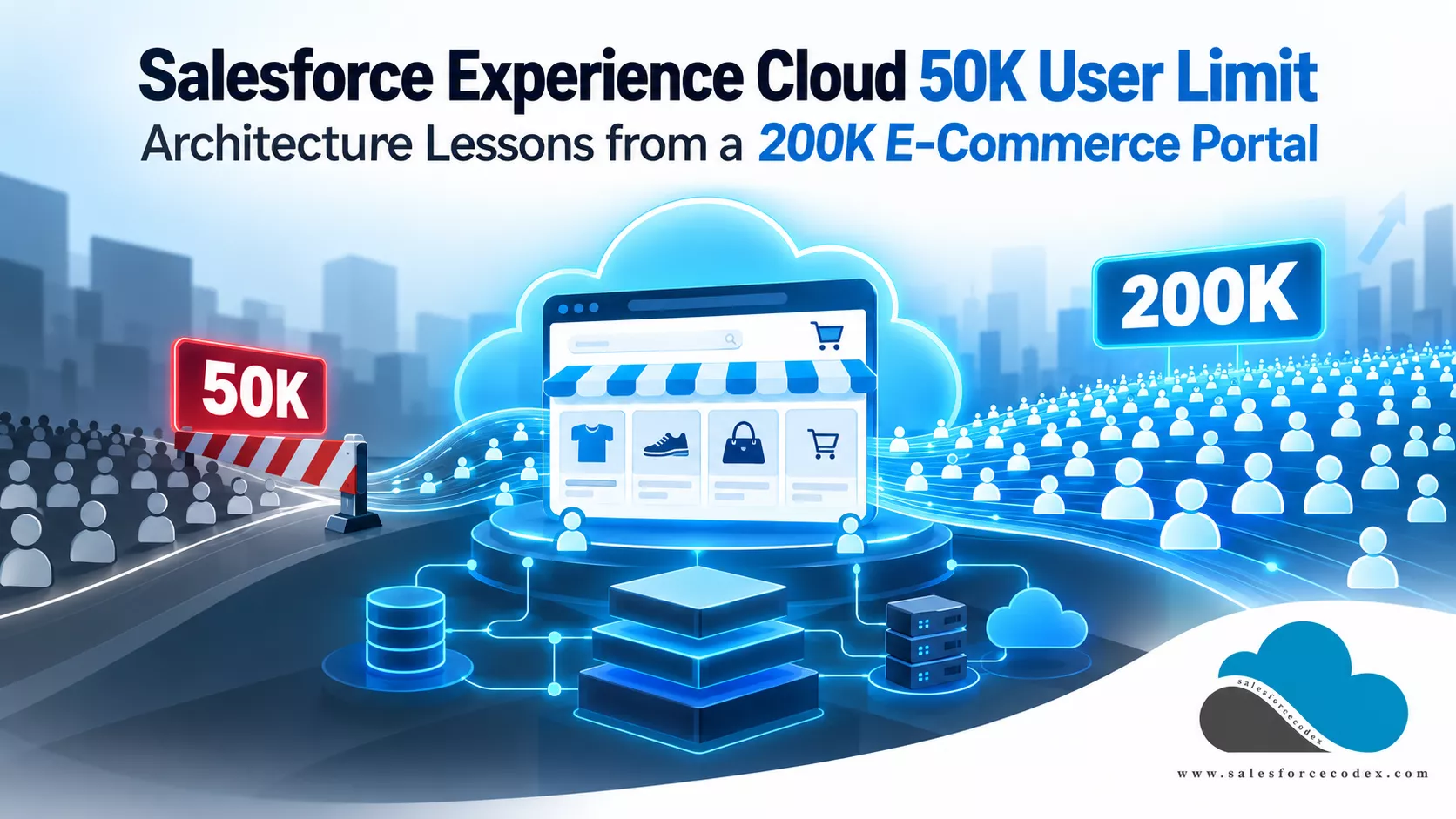
During a production deployment of an e-commerce Experience Cloud solution, we faced an unexpected challenge while creating external users. The business requirement was to onboard approximately 200,000 customers into the portal.
Our solution used Salesforce Person Accounts and the Customer Community Plus Login license. This license requires an external user role.
During the user creation process, we encountered a 50,000 account-ownership constraint. We contacted Salesforce Support to request an increase, but the request was not approved.
This created an important architectural challenge. The Experience Cloud site was already deployed to production, but we could not proceed with customer onboarding as originally planned.
This experience raised an important question:
How can Salesforce Experience Cloud support an e-commerce platform with 200,000 customers when account ownership and role-related limits become a bottleneck?
In this article, we will explore the problem, understand the relevant Salesforce limits, evaluate possible solutions, and discuss the architectural decisions that should be made before deploying a large-scale customer portal.
1. Business Scenario: An E-Commerce Portal with 200,000 Customers
Consider an e-commerce company that sells products through its online platform. The company wants to use Salesforce Experience Cloud to provide a personalized customer portal.
The platform has approximately 200,000 existing customers who need portal access. Customers should be able to:
- Log in securely to the customer portal.
- View and update their personal information.
- View their order history and order details.
- Track order status and delivery information.
- Raise and track customer service cases.
- Manage their communication preferences.
- Access relevant information without contacting customer support.
Salesforce Person Accounts are used to represent individual customers. Each Person Account represents a customer, and an external Experience Cloud user is created using the associated Contact information.
1.1 Proposed data model
The basic relationship looks like this:
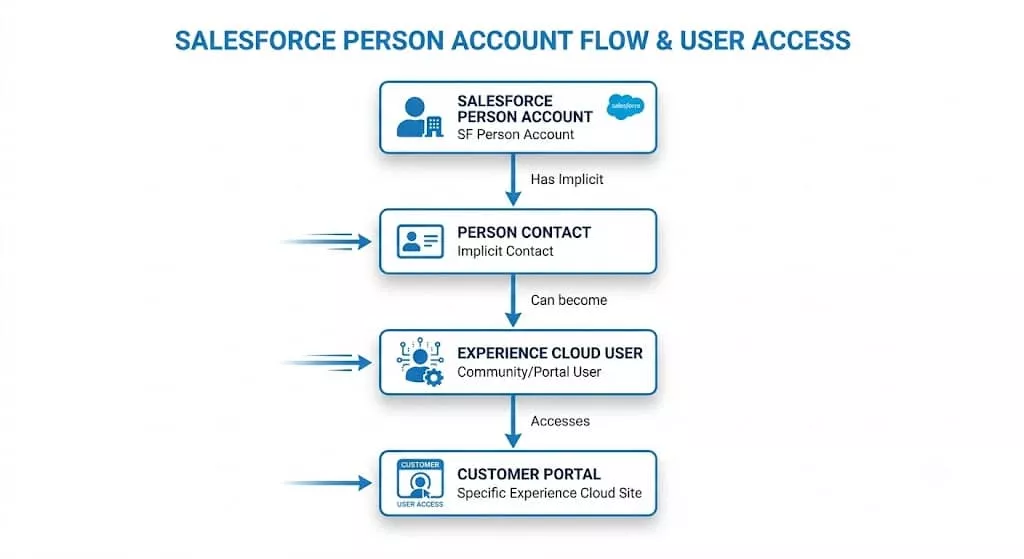
A Person Account combines Account and Contact information into a single customer record. Salesforce uses the underlying Contact to associate the external user with the Person Account.
The external user provides the customer’s login identity, while the Person Account stores the customer’s business information.
For example:
| Salesforce record | Example |
|---|---|
| Person Account | John Smith |
| Contact | John Smith’s underlying Contact |
| Experience Cloud User | john.smith@example.com |
| License | Customer Community Plus Login |
| User Role | External customer role |
The account owner and external user role configuration are important parts of this architecture. The design looks straightforward, but the customer volume introduces a platform constraint.
2. The Problem: User Creation Stops at the 50K Ownership Constraint
The implementation uses the Customer Community Plus Login license. Unlike high-volume, non-role-based external licenses, Customer Community Plus requires an external user role.
When we started creating the 200,000 external users, the process encountered a 50,000 account-ownership constraint associated with the Salesforce account owner.
We approached Salesforce Support and requested an increase to support the planned customer population. However, Salesforce did not approve the request.
The challenge was not that Experience Cloud could only support 50,000 users in total. The issue was related to the ownership model and the applicable limits for accounts associated with role-based external users.
This distinction is important. An architect must understand the difference between:
- Total external users supported by a license.
- The number of roles available for external users across the org.
- The number of qualifying accounts owned by an internal Salesforce user.
- The number of roles generated for external users.
- The sharing and performance impact of the role hierarchy.
These are related, but they are not the same limit.
3. Understanding Salesforce Experience Cloud Limits
Before evaluating solutions, let us understand the relevant Salesforce platform behavior.
3.1 Account ownership limit
Salesforce documents a 50,000-account ownership limit for qualifying accounts associated with role-based external users. This becomes important when an implementation creates a large number of Person Accounts and associates external users with those accounts.
For example, consider an e-commerce platform with 200,000 person accounts. If all these person accounts are assigned to a single internal Salesforce user, the ownership limit becomes an architectural concern.
Salesforce provides a feature called Person Account Owner Power User to support eligible high-volume portal ownership scenarios.
Official reference: Experience Cloud Site User Account Ownership Limitations
3.2 External user role allocation
Customer Community Plus is a role-based external user license. Salesforce uses external roles as part of its record-sharing architecture. The role hierarchy can provide access to records owned by other users when the sharing configuration allows it.
Salesforce also has an org-wide allocation for roles assigned to external users. The documented default allocation is 50,000 roles for role-based external licenses, subject to the applicable org configuration and Salesforce-approved changes.
This is different from the account-ownership limit. For example, creating 200,000 external users does not necessarily mean creating exactly 200,000 external roles. The account model and external user role configuration determine role consumption.
Therefore, both account ownership and role allocation must be evaluated separately.
Official reference: Salesforce Experience Cloud User Licenses
3.3 Why Person Accounts need special consideration
Person Accounts are commonly used by businesses that manage individual customers rather than organizations.
Examples include:
- E-commerce platforms.
- Banking and financial services.
- Insurance customer portals.
- Retail customer applications.
- Travel and hospitality platforms.
When Person Accounts are used with role-based Experience Cloud licenses, the account ownership strategy becomes important.
A design that assigns all customer accounts to one internal user may not scale as expected. This is why the ownership strategy should be part of the initial architecture rather than something addressed during production deployment.
4. Solution Options for 200K Person Accounts
There are multiple ways to approach this problem. The correct option depends on the account ownership model, external license requirements, sharing design, and actual limit being reached.
4.1 Option 1: Person Account Owner Power User
This is one of the most important Salesforce features to evaluate for high-volume Person Account implementations.
Salesforce provides the PersonAccountOwnerPowerUser setup object.
It allows an eligible internal Salesforce user to own more than 50,000 qualifying customer or partner portal accounts. The feature is designed for high-volume portal ownership scenarios.
How does it work?
Normally, an internal Salesforce user is subject to the applicable account-ownership limit for accounts associated with role-based external users.
When a user is configured as a Person Account Owner Power User, Salesforce provides a special ownership configuration for eligible portal accounts.
The setup record identifies:
UserId: The internal Salesforce user who will own the qualifying accounts.PortalType: The type of portal users the owner supports, such as Customer or Partner.
For our e-commerce scenario, the relevant portal type is Customer.
Example Apex configuration
The following is an illustrative Apex example:
PersonAccountOwnerPowerUser powerUser =
    new PersonAccountOwnerPowerUser(
        UserId = '005XXXXXXXXXXXX',
        PortalType = 'Customer'
    );

insert powerUser;
The actual user ID must be replaced with the eligible internal Salesforce user’s ID.
This setup object has special restrictions.
- The designated power user must be at the highest level of the role hierarchy.
- The user’s role cannot be changed or reparented.
- The setup record must be created while deferred sharing is disabled.
- The configuration should be validated against the current Salesforce release and org requirements.
Salesforce documentation: PersonAccountOwnerPowerUser Object Reference
When should architects consider this option?
- The implementation uses Person Accounts.
- A large number of Person Accounts have role-based external users.
- The account-ownership limit is the actual blocker.
- The organization can accommodate the role hierarchy restrictions.
- The solution needs to retain the existing role-based license.
Architectural consideration: This feature addresses qualifying account ownership. It does not automatically increase the org-wide external role allocation or remove other license-related limits.
4.2 Option 2: Distribute Person Account ownership across multiple internal users
Another approach is to distribute account ownership across multiple internal Salesforce users.
Instead of assigning all 200,000 Person Accounts to one internal user, the organization can divide ownership among multiple eligible internal users.
For example:
| Internal Salesforce owner | Person Accounts |
|---|---|
| Owner A | 40,000 |
| Owner B | 40,000 |
| Owner C | 40,000 |
| Owner D | 40,000 |
| Owner E | 40,000 |
| Total | 200,000 |
This is an illustrative ownership distribution, not a guarantee that five owners will satisfy all org-wide limits.
Advantages
- Reduces the number of qualifying accounts owned by a single user.
- Provides an alternative when a single owner reaches the applicable ownership limit.
- Allows ownership distribution through a controlled process.
Challenges
- Account ownership becomes more complex.
- Sharing rules and role hierarchy need careful evaluation.
- Ownership changes can affect reports, automation, and record access.
- Additional internal users may introduce administration and maintenance overhead.
This option should be considered only after reviewing the actual sharing requirements.
4.3 Option 3: Evaluate Customer Community instead of Customer Community Plus
Another option is to evaluate whether the business really needs a role-based external license. Salesforce provides different Experience Cloud licenses for different customer access requirements.
Customer Community is a high-volume, non-role-based external license. It may be suitable when customers primarily need access to their own records.
For example, an e-commerce customer may only need to:
- View their own orders.
- View delivery details.
- Update personal information.
- Raise support cases.
- Track their own requests.
If these requirements can be implemented with the sharing capabilities supported by Customer Community, the organization may not need Customer Community Plus.
However, Customer Community and Customer Community Plus do not provide identical functionality.
Before changing licenses, evaluate:
- Record-sharing requirements.
- Access to related records.
- Sharing Sets and other supported access mechanisms.
- Custom object access.
- Reporting requirements.
- Apex and automation behavior.
- Login-based licensing and commercial cost.
Architectural consideration: A license should never be selected only because it supports a larger user population. It must support the required business functionality and security model.
4.4 Option 4: Request a limit increase from Salesforce Support
Salesforce documentation provides for increasing certain account-ownership allocations through Salesforce Support.
However, an increase is not guaranteed. In our implementation, we approached Salesforce Support to request an increase, but the request was not approved.
This is an important lesson for Salesforce Architects. Do not build a solution that depends entirely on receiving a limit exception after production deployment.
If the architecture requires an exception, validate it with Salesforce as early as possible and prepare an alternative design.
5. Comparing the Available Solutions
The following table summarizes the available approaches for a Person Account-based e-commerce portal.
| Solution | Main purpose | Important consideration |
|---|---|---|
| Person Account Owner Power User | Support qualifying ownership beyond 50K | Has role hierarchy restrictions |
| Multiple internal account owners | Distribute Person Account ownership | Requires ownership and sharing management |
| Customer Community license | Avoid role-based external user licensing | Validate feature and sharing compatibility |
| Salesforce Support escalation | Request an eligible allocation increase | Approval is not guaranteed |
The important point is to identify the exact constraint first.
If the problem is account ownership, changing role allocation alone will not solve it. Similarly, if the problem is org-wide role consumption, configuring a Person Account Owner Power User will not automatically resolve it.
6. Common Architectural Mistakes to Avoid
Mistake 1: Treating 50K as the total Experience Cloud user limit
The account-ownership limit, role allocation, and total external user capacity are different things. Always identify the exact constraint before changing the architecture.
Mistake 2: Ignoring Person Account ownership
When using Person Accounts with role-based external users, ownership should be part of the initial design.
Do not wait until production onboarding to discover that one internal owner cannot support the planned customer volume.
Mistake 3: Selecting a license only because it supports roles
Customer Community Plus may be required for specific sharing capabilities, but it should not be selected automatically.
Evaluate whether a non-role-based license can satisfy the actual customer requirements.
Mistake 4: Depending on Salesforce Support for a limit increase
Support approval is not guaranteed. Always have a fallback architecture.
Mistake 5: Ignoring data security while changing the ownership model
Changing account owners, roles, or licenses can affect record access. Validate that customers cannot access another customer’s personal information or transactions.
7. Pre-Production Checklist for Salesforce Architects
Before deploying a high-volume Experience Cloud solution, review the following:
- Estimate customer volume for the next three to five years.
- Confirm whether Person Accounts are required.
- Confirm the exact external user license.
- Validate account-ownership limits.
- Review external role allocation.
- Evaluate Person Account Owner Power User.
- Define the account ownership strategy.
- Review record-sharing requirements.
- Validate customer data isolation.
- Design a restartable provisioning process.
- Test bulk user creation.
- Validate the solution with Salesforce before production deployment.
- Prepare a fallback plan if a limit increase is rejected.
8. Final Thoughts
Scaling Salesforce Experience Cloud is not just about the number of users supported by a license. It also depends on how customer accounts are modeled, who owns those accounts, how external roles are allocated, and how the sharing architecture is designed.
Our experience with a planned 200,000-customer e-commerce portal highlighted the importance of validating these constraints before production onboarding.
The most important lesson for Salesforce Architects is simple:
Do not wait until production user creation reaches a platform limit to validate your Experience Cloud architecture.
For large implementations, licensing, Person Account ownership, role allocation, sharing, and provisioning must all be part of the initial solution design.
A scalable architecture should support today’s customer volume while leaving enough room for future growth, without depending on an unconfirmed Salesforce limit increase.
Official Salesforce References
- Experience Cloud Site User Account Ownership Limitations
- PersonAccountOwnerPowerUser Object Reference
- Experience Cloud User Licenses
- Create Experience Cloud Site Users
Related Posts
- Ultimate Guide to Salesforce Experience Cloud Licensing
- Navigate to Salesforce Experience Cloud from an ASP.NET App
- Integrate Google reCaptcha v3 into the Salesforce Experience Site
- Develop a Custom Record Picker for Salesforce LWR Sites
- Create Partner Portal User in Salesforce
- Generic BreadCrumb Component for Portal
- View Files in Salesforce Lightning Community Portal
- Create Customer Community User in Salesforce Apex
Need Discussion?
Let us connect when you want to discuss above scenrio and resolve production issues.

Dhanik Lal Sahni is a Salesforce Solution Architect, Independent Consultant, and the founder of SalesforceCodex.com. With nearly two decades of IT experience and extensive expertise in Salesforce architecture, he helps startups and enterprises design scalable, secure, and high-performance CRM solutions using Sales Cloud, Service Cloud, Experience Cloud, Data Cloud, Apex, Lightning Web Components (LWC), and enterprise integration patterns.
Through SalesforceCodex, he shares practical tutorials, real-world implementation guides, enterprise architecture best practices, and interview preparation resources for Salesforce Developers, Architects, and Administrators.
Learn more about his Salesforce consulting and freelance services at dhaniksahni.com.
