

Salesforce Experience Cloud licensing is often the last thing teams think about when building an Experience Cloud site, and the first thing that causes trouble later.
Salesforce Experience Cloud lets you share CRM data with people outside your company. However, its licensing rules differ significantly from those of Sales or Service Cloud. To build a cost-effective portal that can grow, you must understand how Salesforce assigns, uses, and prices these licenses.
In this guide, we’ll break down Experience Cloud licensing in a practical, architect-friendly way.
What Is Salesforce Experience Cloud Licensing?
Experience Cloud licensing controls who can access your Experience Cloud site and what they can do inside Salesforce. Unlike internal Salesforce licenses (Sales Cloud, Service Cloud), Experience Cloud licenses are designed for external users. These users can be
- Customers
- Partners
- Dealers
- Franchise users
- Public users (unauthenticated)
Unlike internal Salesforce licenses, Experience Cloud licenses are:
- Heavily permission-driven
- Consumed differently depending on license type
These licenses are attached to users, not to Experience Cloud sites. A single user can log in to many Experience Cloud sites.
How Experience Cloud Licensing Is Attached to a User
Experience Cloud access is granted in three layers:
1. User License—The Foundation
Each external user must have an Experience Cloud user license, such as
- Customer Community
- Customer Community Plus
- Partner Community
These licenses define the entire framework of what an external user can do inside our Experience Cloud site. These licenses control
- Login Eligibility: The assigned license determines whether the user is permitted to authenticate into an Experience Cloud site and how they authenticate (username/password, SSO, etc.).
- Object Access: Each license type provides access to a specific set of Salesforce standard and custom objects. For example, basic Customer Community users have limited object access, while Partner Community users have broader CRM visibility (like Leads and Opportunities).
- Sharing & Data Visibility: Licenses directly influence record-level access and sharing capabilities. Some licenses support role-based sharing and advanced sharing rules (like Partner Community), while others rely primarily on sharing sets (like Customer Community).
- Feature Availability: Certain capabilities—such as reports, dashboards, manual sharing, or advanced collaboration—depend on the license type assigned.
2. Profile—License-Specific Access
Every Experience Cloud license comes with its own dedicated profile types, and these profiles are strictly bound to that specific license. They cannot be interchanged or combined with profiles from other license categories.
- Customer Community Login User
- Partner Community User
These profiles are
- License-bound—A profile created for one Experience Cloud license cannot be assigned to a user with a different license type.
- Permission-defining—They determine object-level access (CRUD), field-level security, and record-level visibility.
- UI-controlling—They govern tab visibility, app access, and available features within the Experience Cloud site.
- Feature-scoped—Certain capabilities (like roles, sharing rules, reports, or advanced objects) depend on the underlying license.
3. Permission Sets—The Best Practice Layer
In Experience Cloud, profiles should remain minimal—defining only baseline settings like user type, login hours, and basic object access. This avoids profile sprawl and reduces the need for cloning when requirements change.
Permission sets provide modular, scalable access control. They allow you to grant specific capabilities without modifying the base profile—which is critical when managing large volumes of external users across multiple community sites.
In Experience Cloud projects, permission sets are commonly used for
- Custom object access
- Flow execution permissions
- Apex class access for LWCs and integrations
- Feature toggling (e.g., premium vs. standard users)
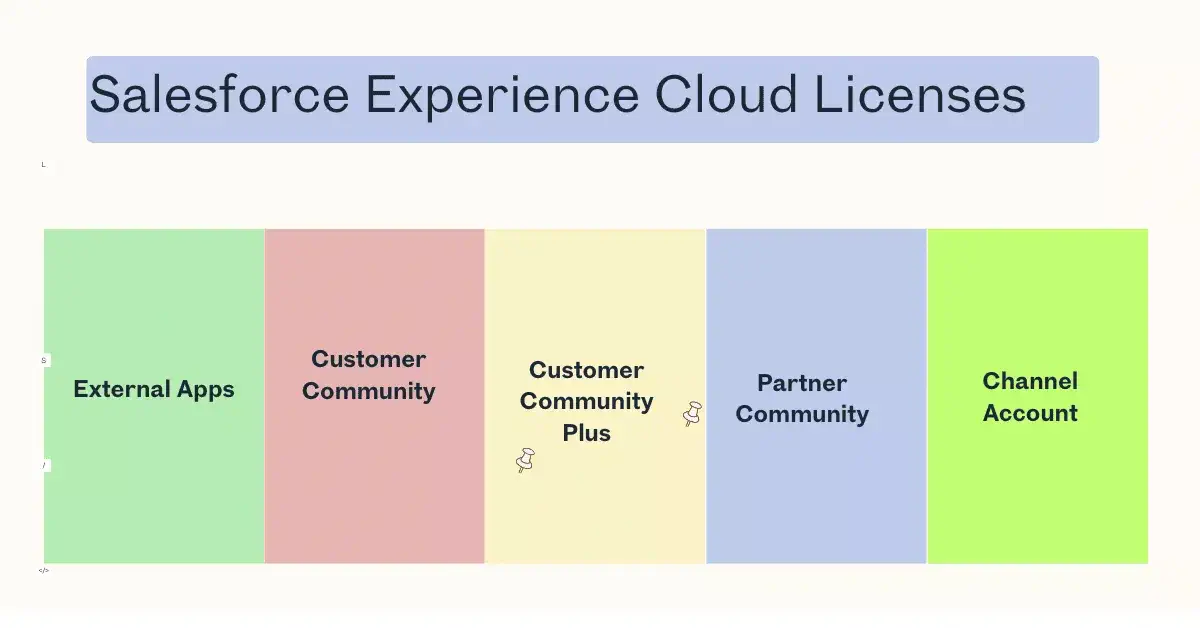
Types of Salesforce Experience Cloud Licenses
1. External Apps
This offering enables organisations to create tailored digital experiences for a wide range of external stakeholders, including customers, prospects, and brand advocates. It is particularly well-suited for scenarios focused on brand engagement, customer loyalty programs, self-service portals, and community-driven interactions.
A key advantage is its compatibility with Person Accounts, making it ideal for B2C implementations where individual consumers are represented as both an account and a contact. This simplifies data modelling and enables more personalised, consumer-centric experiences without adding architectural complexity.
2. Customer Community
This license is ideal for organizations that interact directly with end customers rather than partner networks. It enables thousands—or even millions—of consumers to securely log in and access support resources such as cases and knowledge articles without the need for full Salesforce licenses.
By leveraging Person Accounts, businesses can treat each consumer as both an account and a contact, simplifying data management while enabling personalized experiences. Customers can submit and track support cases, search knowledge articles, and resolve issues independently, significantly reducing support costs and agent workload.
3. Customer Community Plus
Customer Community Plus is well-suited for organizations delivering rich, data-driven digital experiences to individual consumers. It enables external users—such as customers or subscribers—to log in and view personalized information through reports and dashboards, while still respecting Salesforce’s standard sharing rules.
By leveraging Person Accounts, businesses can represent individual consumers as a single unified record, simplifying data management and enabling consistent access control. This approach works especially well for B2C scenarios where each user represents an individual rather than a company or partner organization.
4. Partner Community
Partner Communities in Salesforce are purpose-built for B2B collaboration, where external partners—such as resellers, distributors, or agents—work closely with internal sales teams.
These experiences typically involve access to sales-centric objects, including
- Accounts (business accounts)
- Opportunities
- Leads
- Campaigns
- Forecasts and deal registrations
5. Channel Account
In many B2B scenarios, access to a portal is granted at the partner or account level, not at the individual user level. Instead of tracking how many people log in from a partner company, the platform counts each partner organization as a single unit of usage, regardless of whether that partner has 5 users or 500 users accessing the system.
This model is especially common in:
- Partner portals
- Dealer or distributor networks
- Vendor collaboration platforms
- Enterprise B2B ecosystems
How Experience Cloud Licenses Are Consumed
Experience Cloud licenses are consumed through two primary models: Member-based (named user) and login-based (usage-based). Choosing the right Experience Cloud license isn’t just a technical configuration; it’s a budget-defining decision. If you choose poorly, you’ll either overpay for “empty seats” or find yourself hit with overage charges during a busy month.
1. Member-Based Consumption
We can think of this like a reserved parking spot. It belongs to one person, and it’s theirs 24/7, whether they use it or not.
- The Consumption Logic: We purchase a fixed number of licenses (e.g., 100 Customer Community Plus seats). Each license is assigned to a specific individual.
- The Advantage: We know exactly what our bill is every month.
- Usage: The user can log in an unlimited number of times. There is no penalty for logging in 50 times a day or staying logged in indefinitely.
- Best For: Strategic partners, daily contractors, or high-engagement power users.
2. Login-Based Consumption
This is more like a commuter pass. We buy a bucket of “logins” that our entire user base shares.
- The Consumption Logic: Salesforce only counts one login per user, per 24-hour period. * If a user logs in, logs out, and logs back in 10 times in one day, it still only consumes 1 login from your monthly pool.
- If they log in Monday and again on Tuesday, that consumes 2 logins
- The Advantage: Salesforce usually allows us to create more user records than we have monthly logins (often a 1:20 ratio). For example, if we buy 1,000 monthly logins, we can create up to 20,000 user accounts.
- Best For: Occasional/Infrequent users
License Selection—Architect’s Decision Matrix
Choosing the right license is a balance between feature access (what they can do) and the consumption model (how you pay for it).
| Business Requirement | Recommended License | Why? |
|---|---|---|
| Basic Self-Service (Knowledge base, Case creation) | Customer Community | High-volume, low-cost. Best for standard B2C support. |
| Account-Based Access (Users need to see their own company records) | Customer Community Plus | Adds “Sharing Sets” and “Roles,” allowing users to see data across their specific account. |
| Partner Sales Pipeline (Managing Leads & Opportunities) | Partner Community | The only tier that gives full access to Sales Cloud objects (Leads, Deals, and Quotes). |
| Complex Data Sharing (Visibility based on custom logic or hierarchy) | Customer Community Plus/Partner Community | These support the full Salesforce Sharing Model (Sharing Rules, Manual Sharing, Apex Sharing). |
| High User Volume / Low Activity | Login-Based | Consumes only 1 session per 24 hours. Best for sites with thousands of occasional visitors. |
| Public Information (FAQs, public forums) | Guest User | Unauthenticated access. Does not consume seats or logins—governed by page views. |
Key Best Practices for Salesforce Experience Cloud Licensing
Designing licensing correctly in Salesforce Experience Cloud is both a cost and architecture decision. The wrong license model can increase costs or limit functionality later.
Here’s how to approach it strategically:
✔ Choose Login-Based Licenses for Large User Bases
If you expect thousands (or millions) of occasional users — such as customers accessing a support portal — login-based licenses are usually more cost-effective.
You are charged based on the number of logins per month, not the total number of registered users. This works well for:
- Customer self-service portals
- Seasonal or infrequent usage
- B2C communities
✔ Use Named Licenses Only When Roles and Sharing Are Required
Named user licenses (like Customer Community Plus or Partner licenses) are better when you need:
- Role hierarchy participation
- Advanced sharing rules
- Reports and dashboards
- More complex collaboration features
If your Experience Cloud implementation requires record-level sharing via roles, login-based licenses may not be sufficient.
✔ Monitor Usage Regularly
Always monitor license consumption via: Setup → Company Information → Licenses
Track:
- Total licenses
- Used licenses
- Remaining availability
- Login consumption (for login-based models)
This prevents unexpected overages and helps forecast growth.
✔ Deactivate Unused Users Regularly
Inactive users still consume named licenses. Implement governance processes such as:
- Scheduled user audits
- Automation to flag inactive accounts
- Periodic cleanup of dormant external users
This directly impacts cost optimization.
✔ Design Data Access Before Choosing the License Type
Licensing decisions should follow architecture — not the other way around. Before selecting a license:
- Define the sharing model
- Identify whether roles are required
- Determine reporting and collaboration needs
- Evaluate object access requirements
Your data access model (OWD, sharing rules, role hierarchy) will determine whether a basic Customer license is enough or if a Plus/Partner license is required.
Summary
Experience Cloud licensing is user-centric, not site-centric. Understanding how licenses attach to users and how they’re consumed helps you:
- Optimize costs
- Avoid over-licensing
- Design scalable portals
References
Related Posts
- Create Partner Portal User in Salesforce
- View Files in Salesforce Lightning Community Portal
- How to Navigate to Salesforce Experience Cloud from an ASP.NET App Without User Credentials
- How to Develop a Custom Record Picker for Salesforce LWR Sites
- Create Customer Community User in Salesforce Apex
Other Posts
- The Ultimate Guide to Apex Order of Execution for Developers
- How to Handle Bulkification in Apex with Real-World Use Cases
- How to Confidently Manage Transactions in Salesforce Apex
- How to Build a Generic Modal Window in Lightning Web Component
- How to Implement Dynamic Queueable Chaining in Salesforce Apex
- How to Implement Basic Queueable Chaining in Salesforce Apex
- Top 10 PMD Issues Salesforce Developers Should Focus on in Apex
- Enhancing Performance with File Compression in Apex
- How to Correctly Publish Platform Event Using Salesforce Apex
- How to Manage Technical Debt in Salesforce

