
If you’ve ever struggled with PDF formatting in Apex—only to discover that the output looks completely different from your Visualforce pages—there’s good news ahead. Salesforce is finally closing that gap for effective PDF document generation.
With the upcoming Summer ’26 release, Salesforce is introducing an important enhancement to PDF generation. The Blob.toPdf() method will now leverage the same Visualforce PDF Rendering Service, bringing greater consistency and improved rendering capabilities across the platform. Here’s everything you need to know about this update.
Also Check out Generate PDF using jsPDF in Lightning Web Component for PDF generation
What’s Changing?
Previously, it Blob.toPdf() used a legacy rendering engine that was often limited in scope. With this update, Salesforce is unifying the back end. Now, when you call Blob.toPdf() in your Apex code, it will utilize the Visualforce PDF rendering service.
The “Shape” Remains the Same: The method signature isn’t changing. You still pass in a string and get a blob back. The magic happens entirely under the hood.
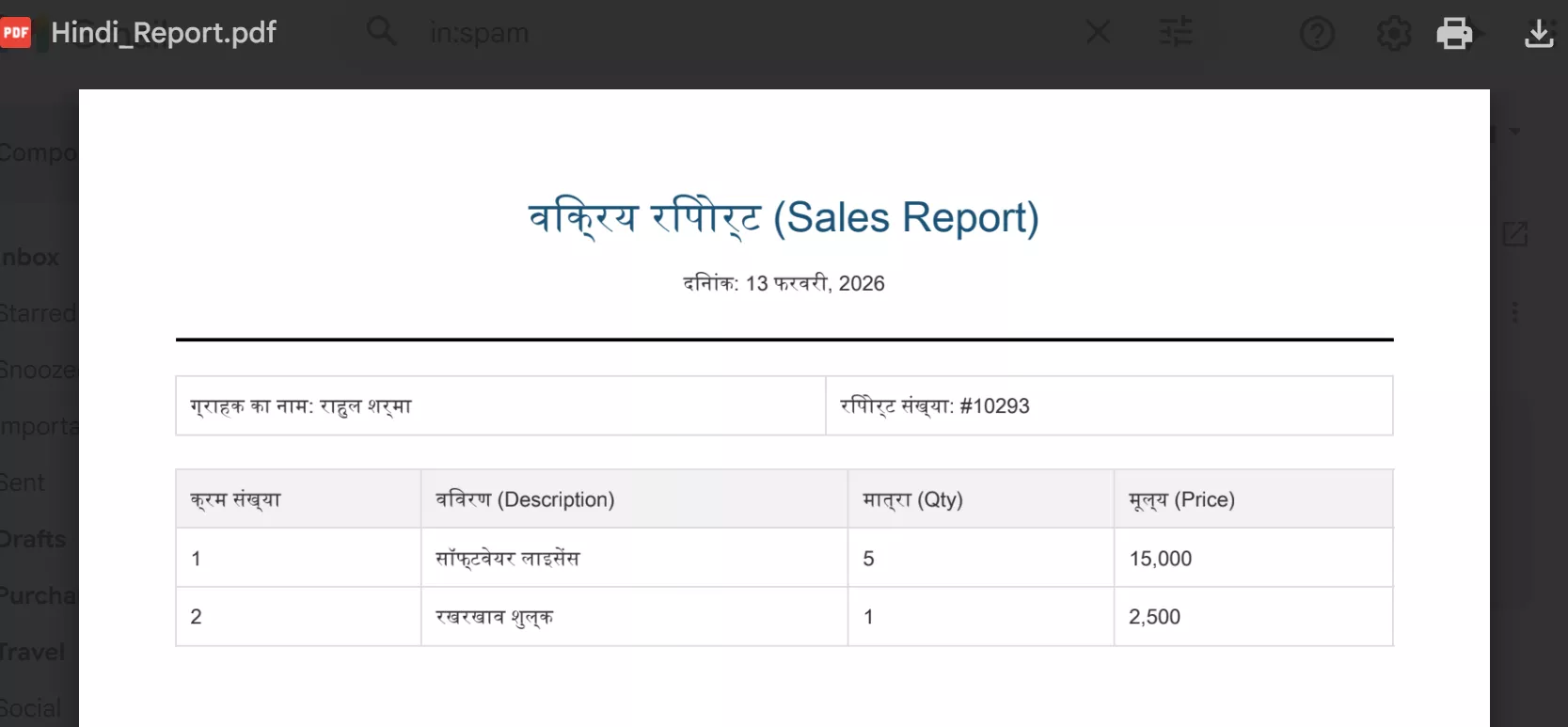
String content = 'Invoice for ग्राहक';
Blob pdf = Blob.toPdf(content);
Why This Matters
This isn’t just a “behind-the-scenes” cleanup; it provides tangible benefits for developers and end-users:
1️⃣ Rendering Consistency Across Platform
Now both:
- Visualforce
renderAs="pdf" - Apex
Blob.toPdf()
Use the same backend service. This eliminates inconsistencies between:
- PDFs generated via Visualforce pages
- PDFs generated via Apex logic (emails, attachments, integrations)
2️⃣ Improved Font Support
The Visualforce PDF service supports:
- Additional fonts
- Better typography handling
- Cleaner rendering of styled content
This is especially useful for:
- Invoices
- Certificates
- Reports
- Branded documents
3️⃣ Multibyte Character Support
The major improvement is better support for multibyte characters, including:
- Hindi
- Japanese
- Chinese
- Korean
- Arabic
- Special Unicode symbols
If your org generates PDFs containing non-English data, this update significantly improves rendering reliability.
When Is It Enforced?
Salesforce will enforce this update in Summer ’26. To check your instance upgrade schedule:
- Go to Trust Status
- Search for your instance
- Open the Maintenance tab
How to Prepare
Don’t wait for the Summer ’26 deadline to see if your documents break. You can—and should—test this now.
- Navigate to Setup.
- In the Quick Find box, type Release Updates.
- Locate Release Updates.
- Follow the provided testing steps to activate the update in your sandbox.
Sample Apex Code
Sample PDF Output
Architect Perspective: Why Salesforce Is Doing This
From an enterprise architecture standpoint, this update:
- Reduces duplicate rendering engines inside the platform
- Standardizes document generation
- Improves globalization support
- Aligns backend services for consistency
This is a platform consolidation move, not just a minor enhancement.
Best Practices Before Summer ’26
✔ Review all usages of Blob.toPdf()
✔ Test multilingual data scenarios
✔ Validate layout-sensitive documents
✔ Enable the release update early in the sandbox
✔ Communicate impact to business teams
Summary
This may look like a small release note, but it has a real impact for:
- Apex-driven document generation
- Global implementations
- Document-heavy orgs
- Invoice & contract automation
- Experience Cloud downloads
References:
Use Visualforce PDF Rendering Service with Apex Blob.toPdf() (Release Update)
Related Posts
- Generate PDF using jsPDF in Lightning Web Component
- Send Email Template As PDF Attachment using Salesforce Apex
- Schedule Email alerts based on Business Hours
- Dynamic Image Map in Salesforce Lightning
- Add Icon In Lightning Web Component Tab

Dhanik Lal Sahni is a Salesforce Solution Architect, Independent Consultant, and the founder of SalesforceCodex.com. With nearly two decades of IT experience and extensive expertise in Salesforce architecture, he helps startups and enterprises design scalable, secure, and high-performance CRM solutions using Sales Cloud, Service Cloud, Experience Cloud, Data Cloud, Apex, Lightning Web Components (LWC), and enterprise integration patterns.
Through SalesforceCodex, he shares practical tutorials, real-world implementation guides, enterprise architecture best practices, and interview preparation resources for Salesforce Developers, Architects, and Administrators.
Learn more about his Salesforce consulting and freelance services at dhaniksahni.com.
