


Timezone is very important in some business use case specially for calling to customer, doctors or patients for different needs. Call center agents or user should call these customers on their preferred time and their timezone.
By default we can not get timezone based on zip code of customer. We can get these information using API like Smarty Street and zipcodeapi. In this post, I am using zipcodeapi to get Timezone information. We have to create apex class to call this API and we are showing that in LWC component. Based on your requirement, you can use use this information.
1. Apex to Time Zone from Zip Code in Salesforce
We have to call REST API of https://www.zipcodeapi.com/ to get timezone from given zip code. We can use named credential to store API url or we can add API url in remote site setting. We have added API url in remote site setting.
You can get API key from https://www.zipcodeapi.com/API.
This will give lot of detail of provided zip code like city, state, area code, time zone and longitude.
2. LWC to show Time Zone information
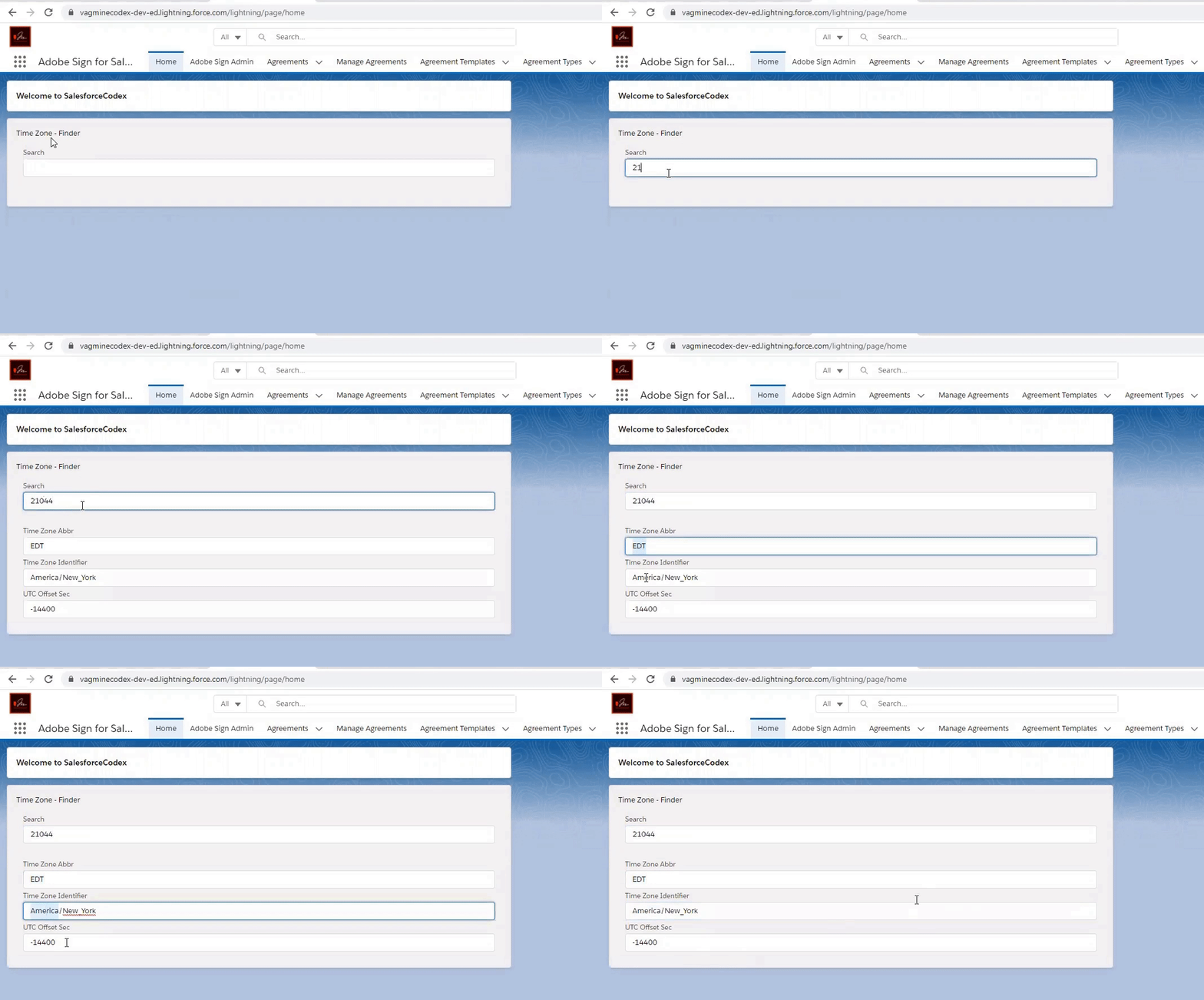
We can show timezone and other information on LWC component. We have shown timezone and UTC offset detail. We can also use other information returned from API.
Test Page:
Reference:
https://www.zipcodeapi.com/API

Dhanik Lal Sahni is a Salesforce Solution Architect, Independent Consultant, and the founder of SalesforceCodex.com. With nearly two decades of IT experience and extensive expertise in Salesforce architecture, he helps startups and enterprises design scalable, secure, and high-performance CRM solutions using Sales Cloud, Service Cloud, Experience Cloud, Data Cloud, Apex, Lightning Web Components (LWC), and enterprise integration patterns.
Through SalesforceCodex, he shares practical tutorials, real-world implementation guides, enterprise architecture best practices, and interview preparation resources for Salesforce Developers, Architects, and Administrators.
Learn more about his Salesforce consulting and freelance services at dhaniksahni.com.
